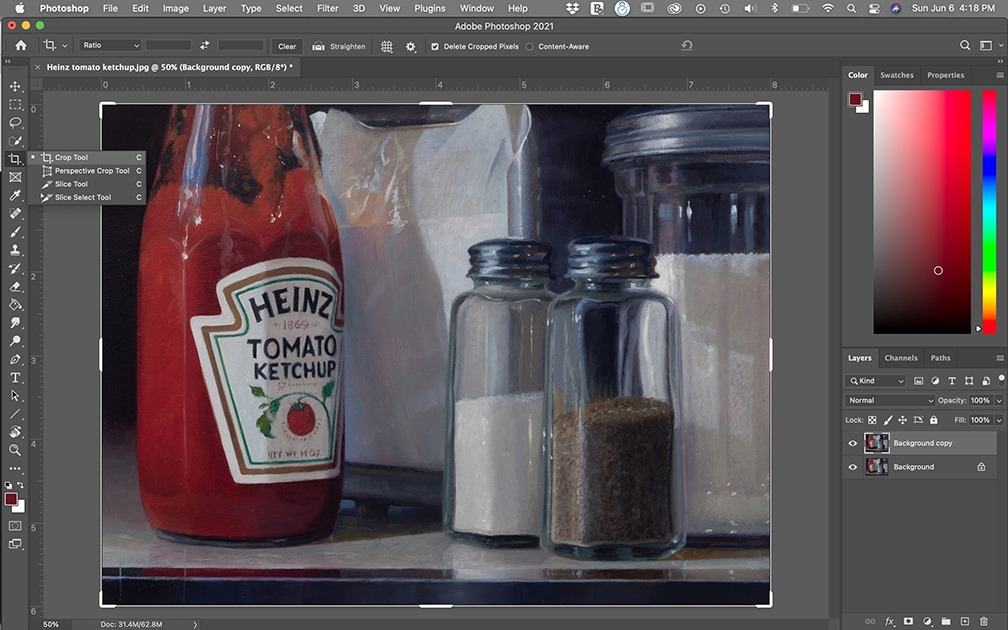
ONLINE WEBINAR ( Two 2.5 hour sessions) Instructor: Cindy Procious This zoom class has already taken place but you can still purchase! Please allow at least 24 hours for us to email you the program after purchasing. You will get: – the complete recordings from Session I & Session II (each 2.5 hours in length) with step by step instructions in photoshop and Q&A – PDF handouts outlining topics covered -image library of images that are used by instructor that you can use to follow along or practice on your own Photoshop is an invaluable tool for painters or artists working in any medium. It allows you to create compositions sized perfectly for your canvas, seamlessly edit your reference images, and work out any problems before beginning work in the studio. With Photoshop, you can edit an image of your work-in-progress, and experiment with your composition, edit values, colors, and edges, all non-destructively, and save yourself tons of revision time on your actual artwork. Opening Photoshop for the first time can be daunting and scary, but it need not be. During this 2-day workshop, instructor Cindy Procious will show you how she uses it every day in her own painting practice. She will demystify this incredibly useful program and show you some fundamentals that you can use to make your artwork better. The topics listed below will be covered in a logical progression. The workshop will be recorded so that you can keep it for future reference. Topics will be time-stamped for ease of re-watching. In addition, you will receive PDF files of the topics covered, and the same image files Procious uses so you can practice the techniques. The workshop will be in a webinar format with clear step-by-step instructions and an opportunity for Q & A. It is not necessary to have Photoshop downloaded on your computer in order to participate in the workshop. All you need to do is to watch and ask questions! The workshop will be held via ZOOM. Everyone registered will receive a recording of the workshop. TOPICS COVERED: Introduction to the Photoshop interface: Identify palettes and tools. How to create a new document. Discussion of image sizing, and image resolution. Introduction to Selection Tools: Overview of Selection tool options to select objects in an image. Cropping Images: How to crop and straighten images using the crop tool in Photoshop. Understanding Layers: How to create new layers, rename and arrange them, and use them in Photoshop. Layer transparency/opacity and blending modes are discussed. Image Editing: How to remove elements from an image using the clone stamp, spot healing brush, patch tool, and content-aware move tool. How to adjust colors and levels: A look at using layer adjustments to change the color and tone of an image. Isolating Values: How to use posterize filter to isolate values in a photo reference. Adding text to an image: How to add text and apply filters to create unique effects. Understanding Masks: How to create and refine masks to create composites. PREPARING AND PRINTING REFERENCES FOR PAINTING: Image sizing: Change the size of an image to correspond to canvas size, without compromising image quality. Creating a Grid: A look at laying a grid over a photo reference in a printable form for use with a traditional drawing or painting. Tiling: How to tile an image to print out at actual size. SAVING EDITED PHOTOS: Finished artwork: Import, straighten, crop and color adjust photos of your finished artwork for archives or the web. Saving files in various formats: Pdf, jpg, tiff, and psd. Image resolution: Tips for saving files. Discussion of ppi for creating high resolution files for giclee prints or for contest entries. PUTTING IT ALL TOGETHER: Compositing basics: Combine multiple elements into one image, using layers, masks, and channels. Change background color – add textured backgrounds using various blending modes. Replace elements of a photo for a portrait reference – i.e. head/hand. About the instructor: Cindy Procious, born in 1965, is a contemporary American Realist painter. Recognized for her highly detailed paintings executed in the time-honored techniques of the Old Masters, her work is crafted with elaborate under paintings and then built upon with layers of glazes and color – the final effect is both intricate and delicate. With a keen eye for color, composition and light, her paintings are a blend of a devout appreciation for artistic tradition and a contemporary aesthetic sensibility. A member of the American Society of Portrait Artists & Oil Painters of America, and the mother of three, Procious is married to Pulitzer Prize-winning editorial cartoonist Clay Bennett. Along with their menagerie of rescued animals, they recently relocated their studio and home to Chattanooga, TN. “As a student of the world around me, I have come to recognize that there is beauty everywhere. As a painter, my primary objective is to balance the dedication of improving my skill in the craft with the development of timeless and personal works.” – Cindy Procious